
ROUNDTWIN

Everythingyour operation needs.

Twenty-four modules in five areas: sales; kitchen and production; logistics and safety; operations and finance; and connections to the equipment you already use. For hotels and event venues, and for catering, with a dedicated add-on.

Roundtwin, distributed by SPEED SOLUTION Kft.

The twenty-four modules

A / 5

Sales

01

Sales channels

Every channel your customers buy through.

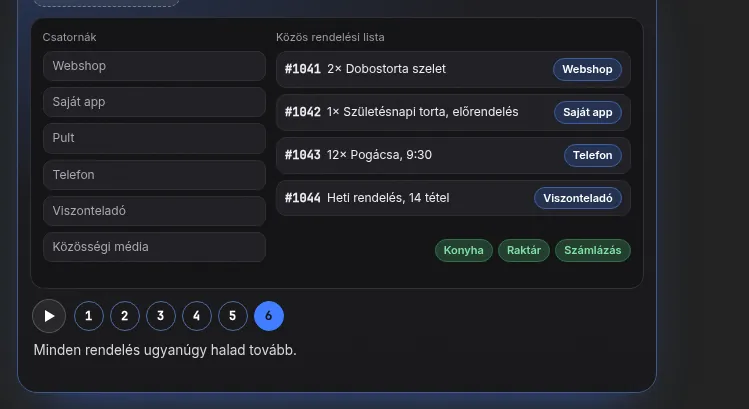
Every sales channel runs into one system: webshop, social media, own app, counter, phone and resellers. Wherever an order comes from, it lands in the same place and moves on the same way to the kitchen, stock and invoicing.

Key functions

  • An own ordering app in your branding (colours, content), with orderability controlled per product.
  • Ordering for a time slot based on kitchen capacity; sold-out products disappear everywhere; allergens; custom cake pre-orders with a deposit.
  • Coupons, scheduled promotions with capped discounts, several price lists; abandoned-cart reminders.
  • A reseller and partner portal with its own price list: partners and shop managers browse products online and order there.
  • From a photo of the day’s theme, AI creates an ad post for social platforms; ad level and budget are adjustable, and every post needs approval.
  • Existing customers and resellers are informed via the app and an email list at a set frequency; reviews are linked to social media feedback.
  • Reports by channel, product and ad; sales reports by source (delivery note, invoice, till) with export.

Who it is for: customers (app, webshop), counter and phone staff, resellers, partners and shop managers, marketing.

Connects with: 02 Order taking04 CRM and regular customers05 Recipes and costing09 Stock and warehouse18 Invoicing20 Management dashboard22 Integrations

Example / sample dataSales channels
Six channels, one system.
02

Order taking

Every order in one place, from any device.

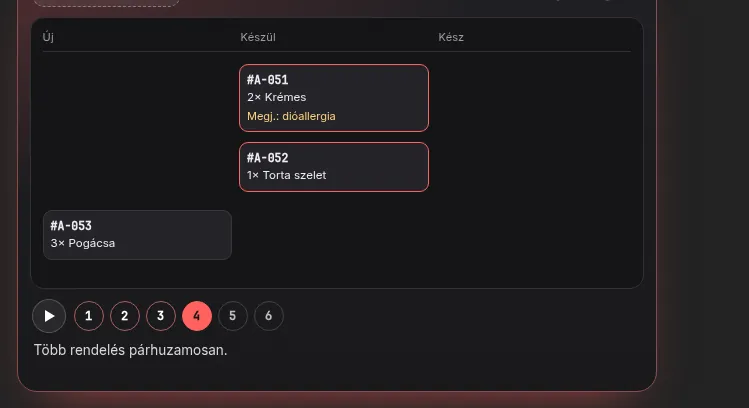
All orders in one place, from any device, with the source marked – from the counter and the phone to the app.

Key functions

  • A shared order list with source tags; regular customers are recognised on phone orders.
  • Accept, decline or propose a new time; notes travel all the way to the kitchen.
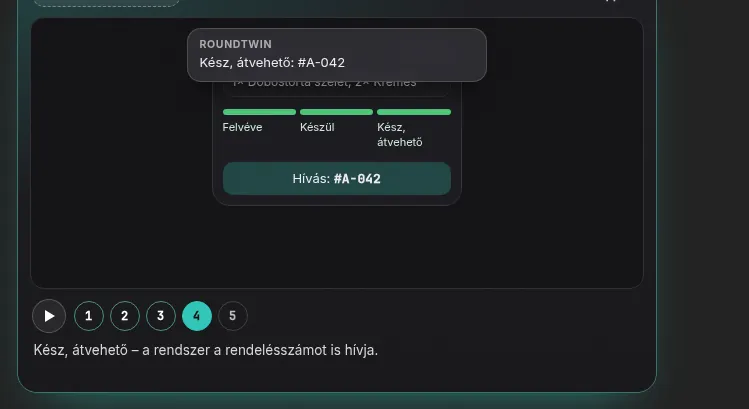
  • Order readiness inside the app: received → preparing → ready for pickup. Each change sends a push notification and the order number is called – no separate pager system, especially at self-service sites (kiosks).
  • AI reading of photographed or handwritten orders, approved with one click.
  • A weekly order template for resellers; phone order collection from shops by delivery round.
  • Offline mode with sync; connection to voice ordering (03).

Who it is for: counter and phone staff, the customer (follows the order in the app), resellers, self-service sites.

Connects with: 01 Sales channels03 Voice ordering07 Production management08 Kitchen display (KDS)12 Delivery, B2B and B2C18 Invoicing

Example / sample dataOrder status in the app
The customer orders in the app.
03

Voice ordering

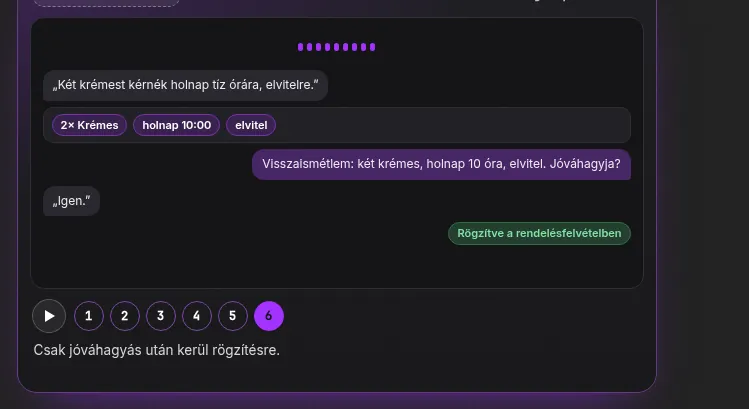
Customers order by voice; the system reads the order back and records it once confirmed.

The customer orders by voice; the system repeats the order back and saves it only after confirmation. A separate add-on built on order taking (02). Coming soon.

Coming soon

Key functions

  • Channels: phone line, app, counter, later kiosk.
  • Speech recognition and interpretation against your own menu, with a spoken voice.
  • Saved into order taking after read-back and confirmation.
  • When unsure, the call is passed to a staff member.
  • Voice recording only with consent (GDPR).

Who it is for: customers ordering by phone, in the app or at the counter, and the staff member who takes over unclear cases.

Connects with: 02 Order taking04 CRM and regular customers22 Integrations

Example / sample dataVoice ordering
The system is listening.
04

CRM and regular customers

Know your customers and bring them back.

Know your customers and bring them back – with a simple loyalty programme that is cheap to run.

Key functions

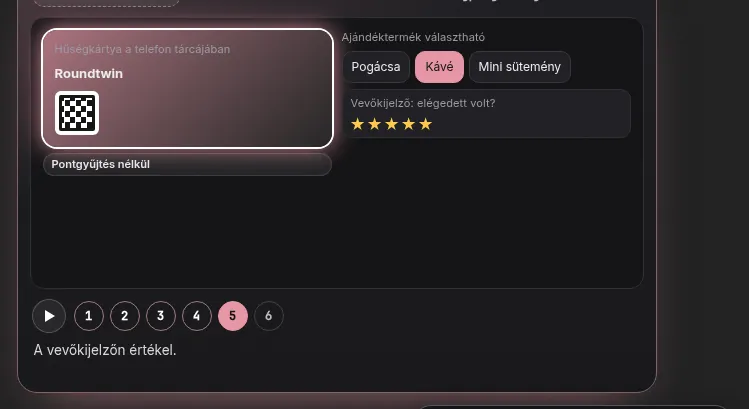
  • Loyalty with a gift product: a gift chosen at purchase, with high perceived value and low cost. No points and no percentage discounts.
  • A digital loyalty card in the phone wallet, no printing costs.
  • A customer display at the counter with a satisfaction check at the end of the purchase, fed into the reports.
  • Regular-guest recognition on phone orders and table bookings.

Who it is for: regular customers, counter staff, management.

Connects with: 01 Sales channels02 Order taking21 Table booking20 Management dashboard

Example / sample dataLoyalty with a gift product
A digital loyalty card, no printing costs.
B / 5

Kitchen and production

05

Recipes and costing

Exact recipes, exact cost per portion.

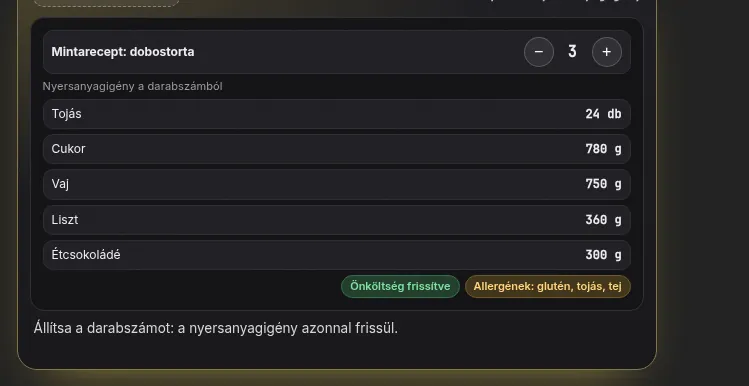
Exact recipes, exact unit costs – and the exact ingredient need from the quantity, for the staff.

Key functions

  • Recipe records and unit-cost calculation; staff, production and overhead costs can be included.
  • Unified product master data: product, semi-finished, ingredient, packaging, merchandise, product group; material norms.
  • Nutrition values and cost per ingredient; material cost and sales price per product.
  • Nutrition and calorie calculation from the recipe, per 100 g and per portion.
  • An automatic product sheet with allergens, shelf life and keeping conditions.
  • Efficiency per work step: what, with what, how long; machine capacities come from the technology module (17).

Who it is for: pastry chefs, cooks and bakers, production management, and management watching unit costs.

Connects with: 06 Purchasing and ingredients07 Production management09 Stock and warehouse11 Waste and losses15 HACCP and label printing17 Technology and equipment

Example / sample dataFrom recipe to ingredient need
Sample recipe: Dobos torte1
Ingredient need from the quantity
Eggs8 pcs
Sugar260 g
Butter250 g
Flour120 g
Dark chocolate100 g
Unit cost updatedAllergens: gluten, egg, milk
Change the quantity: the ingredient need updates at once.
06

Purchasing and ingredients

Automatic purchasing based on stock and recipes.

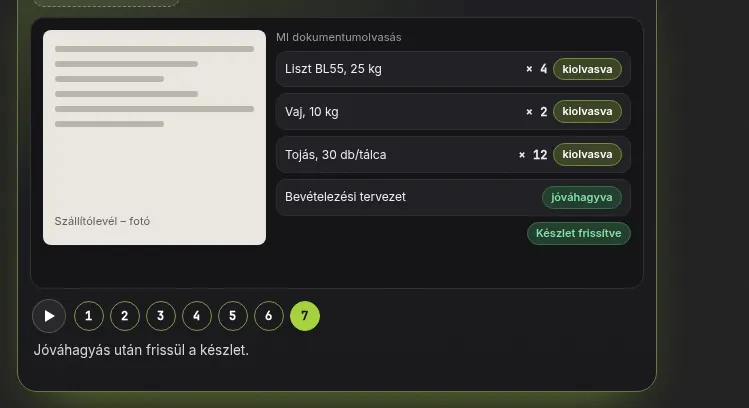
Based on stock and recipes, purchasing starts on time – and incoming paperwork does not need retyping.

Key functions

  • Minimum stock and purchase orders with approval; supplier list and price watch.
  • AI document reading: from photographed or uploaded PDF delivery notes, invoices or handwritten notes it reads items, quantities and prices; after checking, an approvable goods-in draft is created.
  • Reading specifications and product data sheets from a photo.
  • Goods-in with HACCP; expiry and FIFO; invoice matching.
  • Purchase list, incoming invoices and delivery notes, goods-in, “paid” flag; ingredient, packaging and merchandise costs.

Who it is for: store-room staff, buyers, office.

Connects with: 05 Recipes and costing09 Stock and warehouse14 Tracking15 HACCP and label printing19 Finance

Example / sample dataFrom delivery note to goods-in
Goods arrive with a paper delivery note.
07

Production management

A daily production plan built from orders.

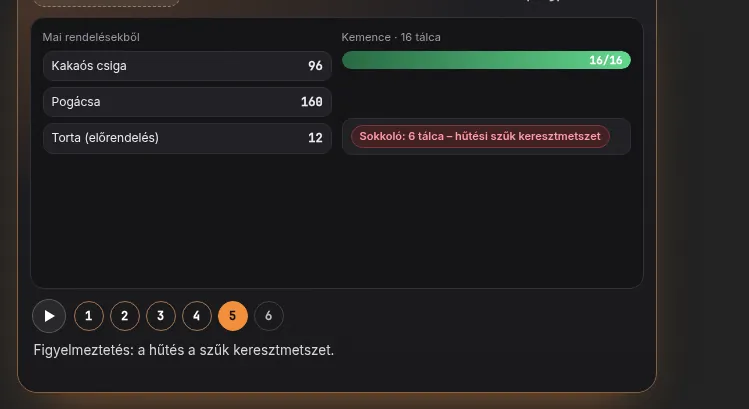
A daily production plan built from orders that also watches machine capacity, cooling and warehousing.

Key functions

  • Production planning for pre-orders and reseller orders; production orders, products to make, ingredient need.
  • Recipes issued for full batches: for example, not 6 trays into a 16-tray oven.
  • Bottleneck watch: a 6-tray blast chiller next to a 16-tray oven is a HACCP cooling risk.
  • Cooling time, shelf life, best-before and capacity of fridges and freezers are taken into account.
  • A production terminal per work step: a paperless real-time list per section (e.g. sheeting, baking), with automatic ingredient need and stock movement; a scale and barcode scanner can be connected.
  • Production log, corrections, waste, produced and in-stock quantities; efficiency measurement and equipment audit.

Who it is for: production managers and the sections on the production floor.

Connects with: 02 Order taking05 Recipes and costing06 Purchasing and ingredients08 Kitchen display (KDS)09 Stock and warehouse11 Waste and losses15 HACCP and label printing16 HR17 Technology and equipment

Example / sample dataDaily production plan
Orders are in.
08

Kitchen display (KDS)

Orders on the kitchen screen, no paper tickets.

Orders appear on the kitchen screen – no paper.

Key functions

  • Orders appear on the kitchen screen, paper-free.
  • Order notes (for example allergies) travel all the way to the kitchen.
  • The customer follows the status (received / preparing / ready for pickup) in the app with push notifications; no separate guest pager.

Who it is for: kitchen and counter.

Connects with: 02 Order taking07 Production management12 Delivery, B2B and B2C

Example / sample dataKitchen display
Kitchen screen, no paper.
09

Stock and warehouse

Up-to-date stock, from goods in to goods out.

Up-to-date back-office stock records from goods-in to issue – for several shops and a central store too.

Key functions

  • Automatic stock deduction based on the recipe.
  • Warehouse locations with capacity; store types: finished goods, semi-finished, ingredients, packaging, merchandise, waste and returns.
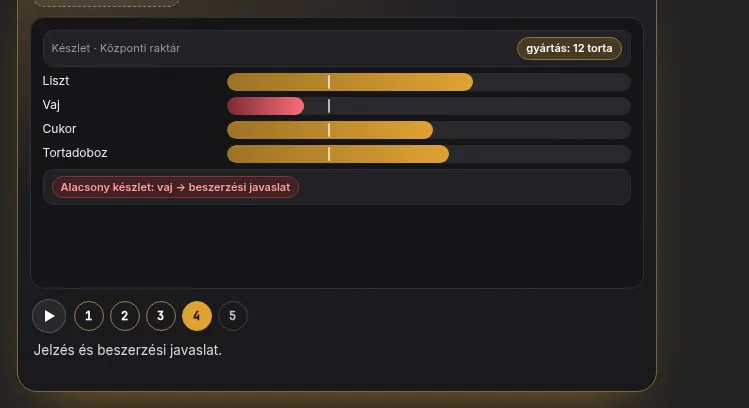
  • Semi-finished and finished stock with expiry; alerts on low ingredient and packaging stock and on upcoming expiry.
  • Goods-in by barcode and item number; stock counts by phone.
  • Separate stock per site in one system; quick transfers between stores; several shops and a central store.
  • Traceability (recalls); stock value, stock journal, issue, transfer, write-off.

Who it is for: store-room staff, production, management running several units.

Connects with: 05 Recipes and costing06 Purchasing and ingredients07 Production management10 Finished goods and stock count11 Waste and losses14 Tracking15 HACCP and label printing

Example / sample dataStock levels
Up-to-date stock per location.
10

Finished goods and stock count

The essentials are clear at a glance.

A quick view and stock count: see at a glance what is in stock.

Key functions

  • Colour-coded overview and counter view.
  • Closing count with leftover pack; periodic counts with a report.
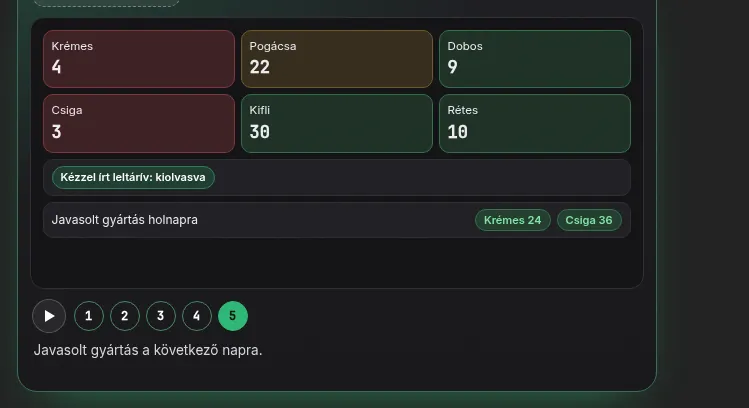
  • Suggested production based on stock.
  • Photograph handwritten count sheets and let AI read them; photo-based stock taking.

Who it is for: counter staff, shop managers, production.

Connects with: 07 Production management09 Stock and warehouse11 Waste and losses

Example / sample dataCounter view and closing count
Opening: all green.
11

Waste and losses

What gets thrown away counts too.

What gets thrown away counts too: waste becomes visible, measurable and reducible.

Key functions

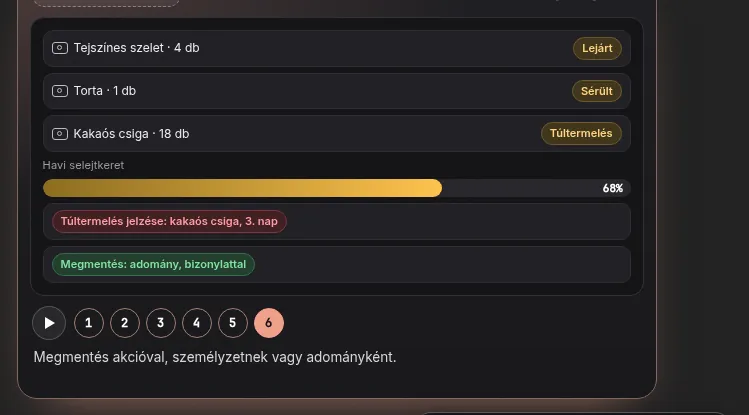
  • Quick logging with reason and photo; the loss expressed in money.
  • Root-cause analysis; overproduction alerts.
  • Rescue: promotion, staff, donation with a receipt.
  • Official waste register; monthly waste budget.
  • A separate waste store: quantity and value show at stock level too.

Who it is for: counter, production, management.

Connects with: 07 Production management09 Stock and warehouse10 Finished goods and stock count20 Management dashboard

Example / sample dataLogging waste
Waste counts too.
C / 5

Logistics and safety

12

Delivery, B2B and B2C

Supply your outlets, resellers and customers.

Supplying your own units, resellers and customers from one system – from home delivery to the in-store Pickup Box.

Key functions

  • Preparing, checking and tracking deliveries; routes, delivery windows and rounds.
  • A picking list from the orders, totals, a printed route sheet.
  • A mandatory photo at every handover (reseller, own unit, customer) as proof of delivery and condition.
  • Order readiness in the app (received / preparing / ready for pickup) with push notifications and the order number called; no separate pager.
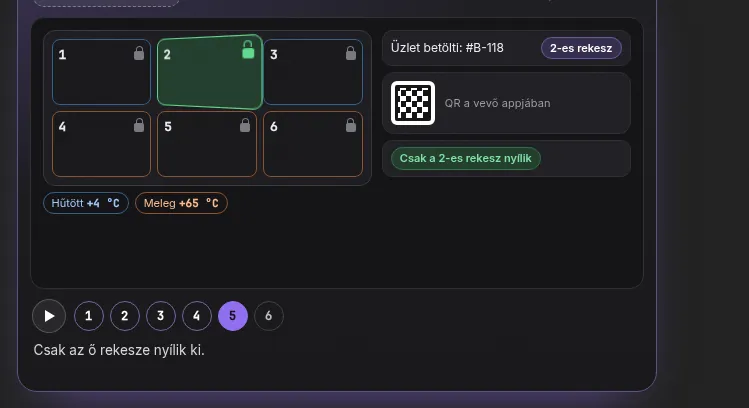
  • Pickup Box: a locker unit in the shop. The shop loads it with ordered and paid orders itself; the customer opens only their own locker with a QR code.
  • Two temperature zones: chilled lockers for cakes and chilled products, warm (heated) lockers for hot items – both with a HACCP temperature log.

Who it is for: drivers, delivery coordinators, resellers, own units and customers.

Connects with: 01 Sales channels02 Order taking13 Waybills14 Tracking15 HACCP and label printing18 Invoicing

Example / sample dataPickup Box collection
Pickup Box in the shop: chilled and warm lockers.
13

Waybills

Delivery documents generated from order data.

Shipping documents are built from order data, with no retyping, so the driver knows exactly what goes where.

Key functions

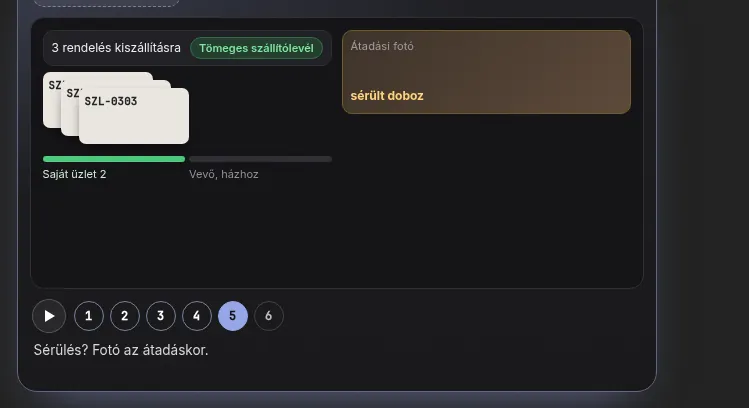
  • Bulk delivery notes in one step, with totals.
  • A protocol for damaged or faulty deliveries: on transit damage the customer decides from the photo – cancel and return, or a discount now or on the next order.
  • Losses are settled with the courier or carrier, via insurance or compensation.
  • A FELIR code can be stored in the company data.

Who it is for: drivers, office, resellers and customers.

Connects with: 12 Delivery, B2B and B2C14 Tracking18 Invoicing

Example / sample dataDelivery note and handover
Orders waiting for delivery.
14

Tracking

Where every order stands.

See where an order stands from taking to delivery, and look back later at what went where and when – from ingredient to shelf.

Key functions

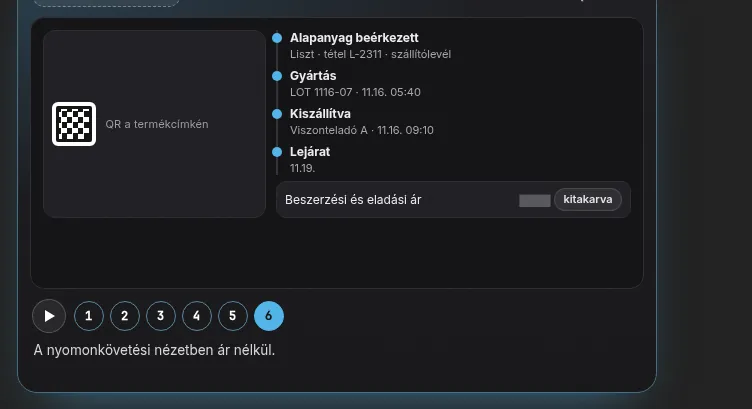
  • HACCP traceability for resellers: the source and purchase time of a delivered product’s ingredients can be traced back to the delivery note.
  • Every product gets a QR label; scanned, it shows which supplier the batch came from, what the product was made of and when, and when it expires.
  • In the traceability view documents appear without prices.
  • Works with any printer and phone.

Who it is for: resellers, quality assurance, inspections, customers.

Connects with: 06 Purchasing and ingredients09 Stock and warehouse12 Delivery, B2B and B2C13 Waybills15 HACCP and label printing

Example / sample dataTracing by QR code
Every product gets a QR label.
15

HACCP and label printing

Full traceability, from supplier delivery to dispatch.

Full traceability from goods-in to delivery, without paper – the food-safety log and the labels in one place.

Key functions

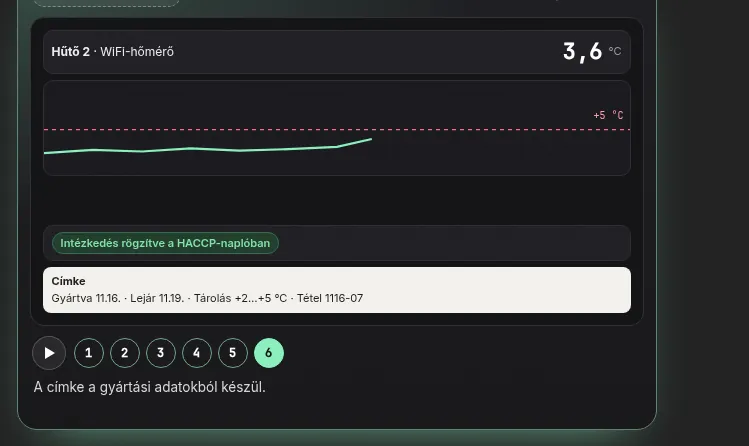
  • Temperature monitoring by sensor or by hand, with alarms and an automatic HACCP log; every fridge gets a battery Wi-Fi thermometer.
  • Logs kept from a phone: fridge temperature, cleaning, production; a cleaning log and an inspection pack.
  • Automatic product, semi-finished and reseller labels; direct kitchen label printing with production, expiry, cooling, maker and lot number.
  • Customer labels with ingredients and nutrition, in three sizes: 100×70 mm, 50×30 mm, A4.
  • An automatic product sheet with mandatory allergen marking, shelf life and keeping conditions; a customer-information QR code.
  • A certificate of origin in one click for a nursery, school or event, with the date filled in automatically.

Who it is for: quality assurance, kitchen and production, shop managers.

Connects with: 06 Purchasing and ingredients07 Production management09 Stock and warehouse12 Delivery, B2B and B2C13 Waybills14 Tracking16 HR17 Technology and equipment

Example / sample dataFridge log and label
A Wi-Fi thermometer in every fridge, automatic log.
24

Roundtwin AI Kamera

Your own on-site AI camera system: it detects, it alerts, and recordings are held securely in the cloud, separately for each customer.

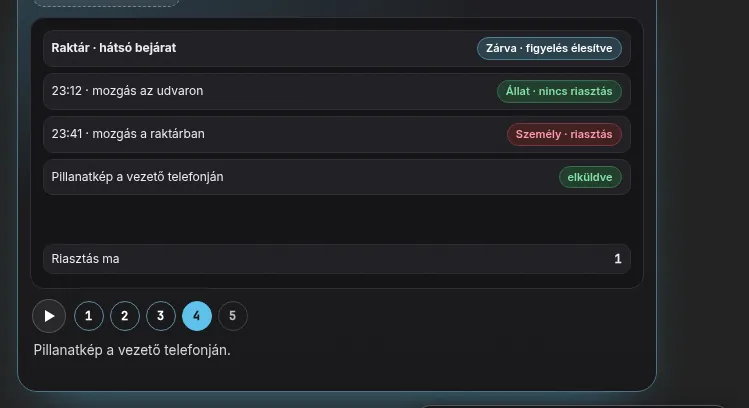
The business’s own AI camera system. The camera recognises whether a person, an animal or a vehicle is in view, raises an alert after closing time, and recordings are held securely in the cloud, separately for each customer.

Key functions

  • AI detection on the camera: it tells people, animals and vehicles apart, which reduces false alarms.
  • After-hours alerts: if a person appears on the premises outside opening hours, the manager receives a notification with a snapshot or a short clip on their own phone, tablet or laptop.
  • Around the clock, recordings are held securely in the cloud, separately for each customer.
  • Lean, event-based processing: the Roundtwin AI machine does not analyse the live feed continuously; it only fetches a snapshot or a short clip when an event occurs. The full recording is held securely in the cloud, separately for each customer.
  • Privacy masking: areas that must not be recorded, such as a neighbour’s entrance or the street, can be masked out.

Who it is for: managers of patisseries, bakeries, cafés, restaurants and small shops with a counter, kitchen, storeroom or street entrance.

Connects with: 15 HACCP and label printing16 HR20 Management dashboard

Example / sample dataAfter-hours alert
Armed after closing time.
D / 5

Operations and finance

16

HR

Staff, rotas and attendance in one place.

Staff, rosters, attendance and expiry dates in one place – from hiring to leaving.

Key functions

  • A shift planner; on a change the employee is notified at once, accepts or declines, and replies are summarised.
  • Mobile, location-based attendance (geofence): recorded automatically, showing who is at work.
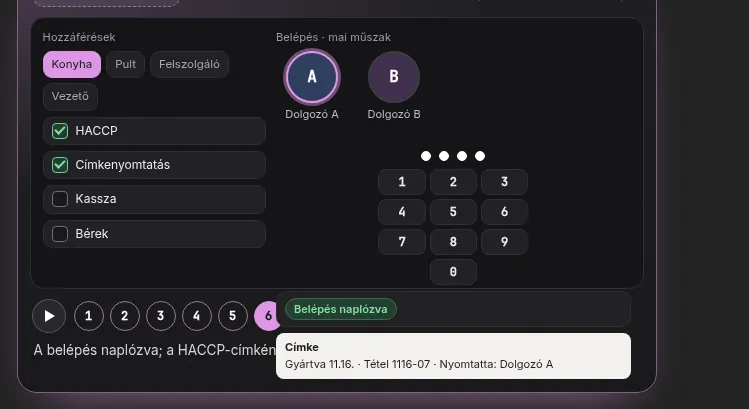
  • Access rights: the manager sets, by role (kitchen, counter, waiting staff, manager) or by person, which modules each employee can see and use. Kitchen staff, for example, see only HACCP and label printing, not the cash register or wages.
  • Login on the tablet: only the photos of those currently on shift appear, taken from the roster. The employee taps their own photo and enters the 4-digit code. No cards, badges, NFC or wristbands. Staff who are not on shift cannot log in. Every login is logged, so the HACCP label, for example, shows who printed it.
  • Hiring: requesting and scanning documents, a casual employment contract; signing on mobile or on paper, always storing the scan of the signed copy; a work-safety test before starting; a reminder before probation ends.
  • Medical fitness checks recorded with expiry tracking; work-safety and equipment training with a test (machine data from module 17).
  • Protection points: proof of registration, privacy statements, mandatory certificates, HACCP and trade papers, confidentiality, job description, equipment handover, working-time records, leaving process.
  • Headcount planning by production need and skills; staff cost reports. Employee data is held securely in the cloud, separately for each customer.

Who it is for: HR, shop managers, production management and the employees.

Connects with: 07 Production management15 HACCP and label printing17 Technology and equipment23 Equipment inventory and movement19 Finance20 Management dashboard

Example / sample dataRoster, access rights and login
The weekly roster shows who is on shift today.
17

Technology and equipment

Machines, capacities, servicing, maintenance and spare parts in one place.

Machines, capacities, service, maintenance and spare parts in one place. Recipes, production planning, HACCP and training all work from here.

Key functions

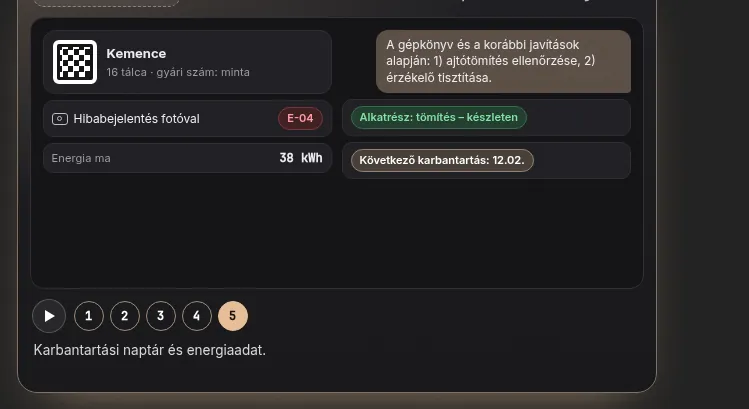
  • An equipment register with counts and specs (for example the capacity of the 16-tray oven, blast chiller, mixer, kneader and sheeter); surveys with photo and serial number.
  • Per machine: service and maintenance needs, service numbers and spare-part sources; a maintenance calendar, mandatory checks, warranty and documents.
  • QR codes on machines; fault reports with photos.
  • Live troubleshooting help from manuals, error codes and past repairs.
  • Fridges and freezers and their capacity; fridge temperature log; cost and replacement; spare-part stock.
  • Energy and utilities: consumption and cost on a chart, linked to production.

Who it is for: maintenance staff, production management, service partners.

Connects with: 05 Recipes and costing07 Production management15 HACCP and label printing16 HR23 Equipment inventory and movement

Example / sample dataMachine record and fault report
Every machine with QR code and capacity.
23

Equipment inventory and movement

A register of devices and a record of their movement.

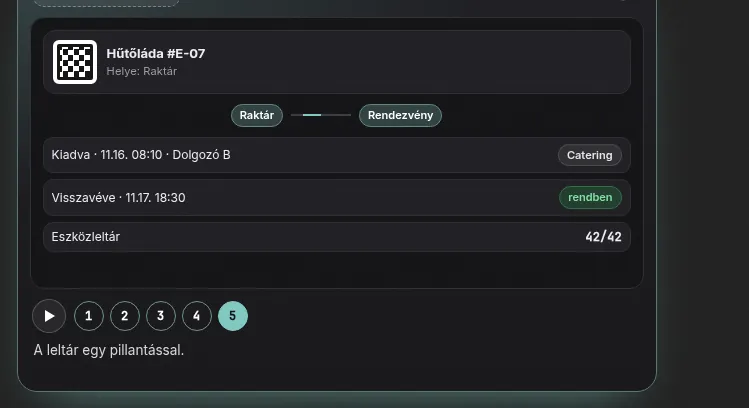
An inventory of equipment and a record of its movements: what is where, who has it and when it came back.

Key functions

  • Equipment counts built on the technology module (17).
  • Movement records: from where, to where, who, when.
  • Linked to equipment handover in HR (16) and equipment hire in catering.

Who it is for: shop managers, store room, event and catering teams.

Connects with: 16 HR17 Technology and equipment+ Catering+ Hotel and events

Example / sample dataEquipment movement
Every item has a location.
18

Invoicing

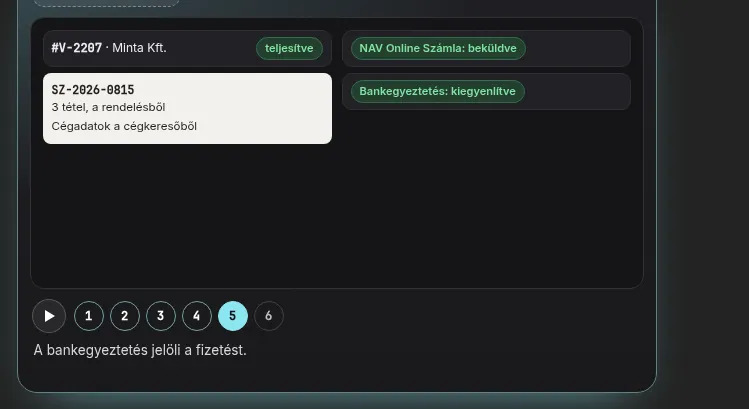
Invoices straight from fulfilled orders.

The invoice is created from the fulfilled order – no retyping.

Key functions

  • Connection to the invoicing software and to NAV Online Invoice.
  • Collective invoices for resellers with credit notes; automatic credit notes and cancellations; deposit and final invoices.
  • Bulk invoicing and a “paid” filter.
  • Company lookup: the customer’s company details fetched instantly for VAT invoices.
  • Receivables monitoring with approved reminders; bank reconciliation.
  • A monthly package for the accountant.

Who it is for: office, accountant, resellers.

Connects with: 01 Sales channels02 Order taking12 Delivery, B2B and B2C13 Waybills19 Finance22 Integrations

Example / sample dataFrom order to invoice
The order is delivered.
19

Finance

It gives the accountant material that is ready to review.

It gives the accountant material that is ready to review. Full bookkeeping is coming soon.

Full accounting – coming soon

Key functions

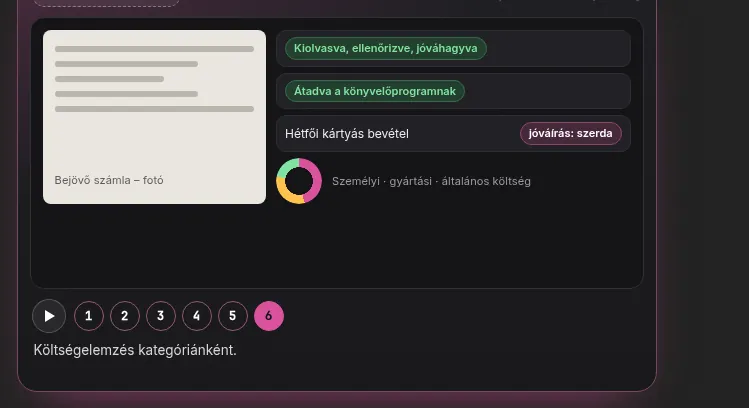
  • AI document reading: photographed incoming invoices, delivery notes or handwriting are read, with a checked approval step.
  • It connects their accounting software; documents go straight there.
  • Card takings: the system works out when the money is credited and when it can be used.
  • Cost analysis by category and type: staff, production and overhead costs; utility bills and providers.
  • Separate report access for the accountant; a “paid” flag on incoming invoices.

Who it is for: owners and management, office, accountant.

Connects with: 06 Purchasing and ingredients18 Invoicing20 Management dashboard22 Integrations

Example / sample dataFrom document to accountant
The incoming invoice is photographed.
20

Management dashboard

Your key figures on one screen.

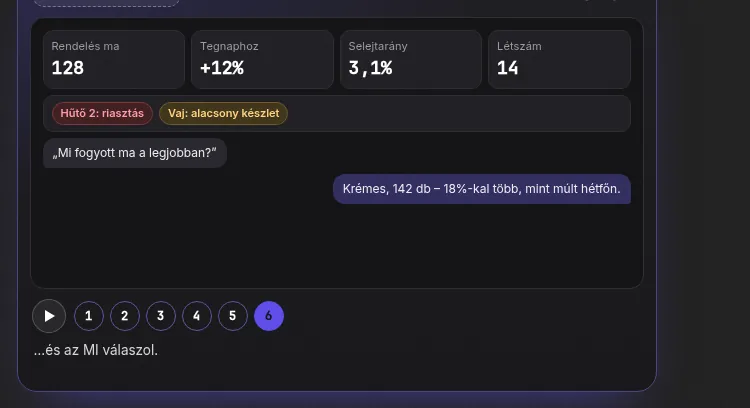
The key numbers on one screen, in real time – from the data of every module.

Key functions

  • Daily figures with comparisons; alerts in one place.
  • Production and efficiency; headcount and wage-cost ratio; marketing return; customers and reviews.
  • A mobile view with a morning summary; ask AI by voice or text.
  • A customisable widget home panel: notifications, data import, print shortcuts (price list, product sheet, order summary, route sheet), production output, sales summary.
  • Energy and cost reports with export; a chain or franchise view across units, with bulk actions.

Who it is for: owners, managers, unit managers.

Connects with: 01 Sales channels07 Production management11 Waste and losses16 HR19 Finance22 Integrations

Example / sample dataManagement dashboard
One screen in the morning.
21

Table booking

Online booking with a live table map and confirmation.

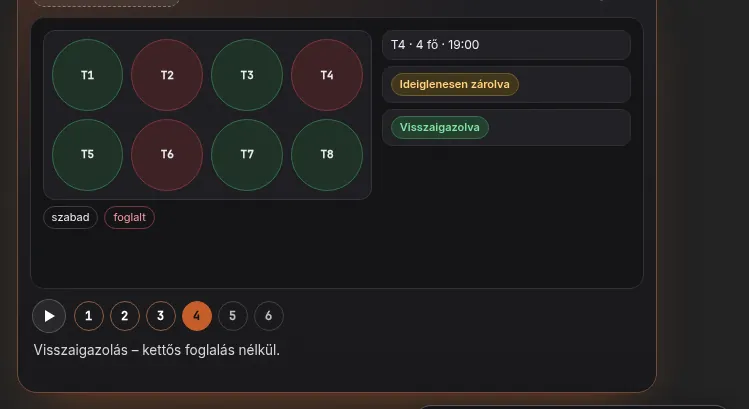
Online booking with a live table map and confirmation – no double bookings.

Key functions

  • A table map; the online booking tool shows free tables live.
  • If several people look at once, a temporary hold handles the order; bookings require confirmation.
  • A deposit or card guarantee against no-shows; SMS reminders.
  • Regular-guest recognition (04).
  • An existing booking system can be connected via Integrations.

Who it is for: restaurants, cafés and their guests.

Connects with: 04 CRM and regular customers22 Integrations+ Hotel and events

Example / sample dataTable booking
Live table map: free and booked tables.
E / 5

Connections

22

Integrations

Card terminal, till, cash recycler, accounting.

What already works can stay: Roundtwin connects with existing devices and software.

Key functions

  • Online till and fiscal receipt printer; card terminal and online payment.
  • Scales (sale by weight with stock control), barcode scanners, sensors.
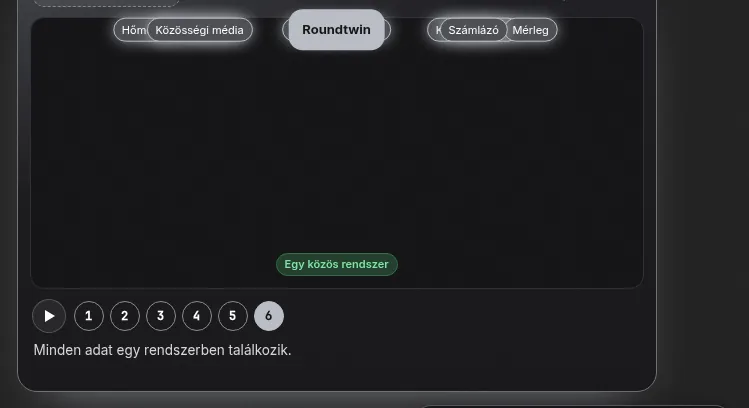
  • Invoicing and accounting software, webshop and till meet in one system.
  • Delivery platforms, social media and ads, table booking, surveys.
  • Other systems already in use also meet in one system.
  • Connecting own-brand Roundtwin devices: card terminal, cash recycler, AI food-recognition checkout, ordering kiosk, Wi-Fi fridge thermometer, label printer (see Devices).

Who it is for: owners and operators who want to keep their existing devices.

Connects with: 01 Sales channels03 Voice ordering18 Invoicing19 Finance21 Table booking15 HACCP and label printing

Example / sample dataConnections
What works can stay.
+

Optional extensions

Optional extension

Hotel and events

An extension for hotels and event venues.

A separate add-on for hotels, guesthouses and event venues.

Key functions

  • Pricing and a rate monitor across booking platforms: transparent terms, dynamic pricing.
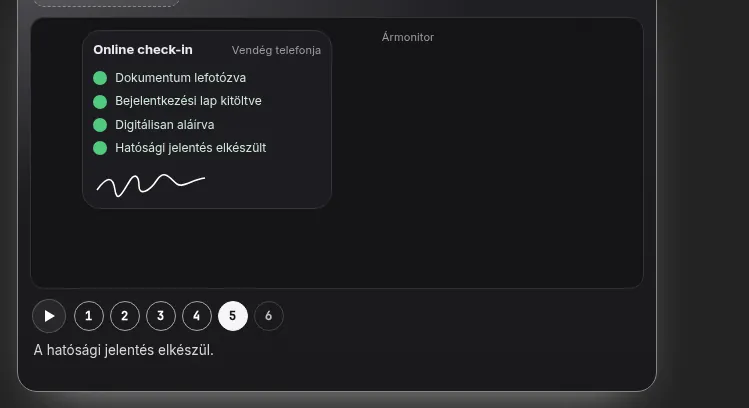
  • Automatic check-in: guests photograph their documents on their own phone, fill in the registration form and sign digitally.
  • The system prepares the official reports (for example the guest register).

Who it is for: hotels, guesthouses, event venues and their guests.

Connects with: 21 Table booking18 Invoicing19 Finance22 Integrations23 Equipment inventory and movement

Example / sample dataAutomatic check-in
The guest checks in on their own phone.
Optional extension

Catering

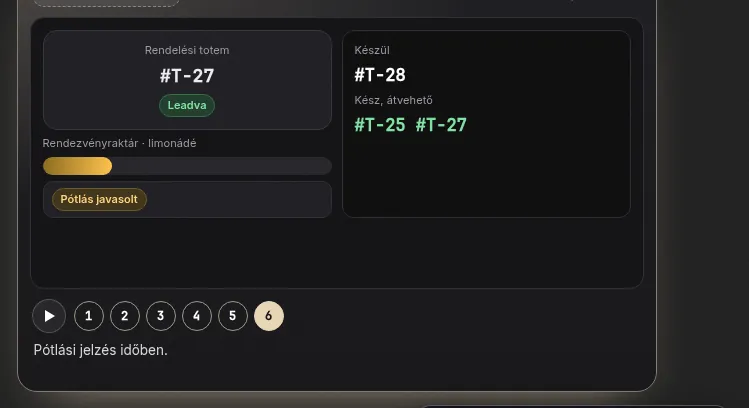
Event and festival calculations, order totems and on-site stock.

Costing, production and service for client caterings and your own events (festivals, events) in one system.

Key functions

  • Quotes by headcount and menu; a guest list with allergies.
  • Production and packing lists; chilled transport; equipment hire; deposit and final invoice.
  • At your own events: costing and pricing; self-service ordering kiosks that replace the till and staff – the back only produces and hands out.
  • The customer follows the readiness of a kiosk order in the app (received / preparing / ready for pickup), with push and the order number called; no separate pager.
  • Separate event stock with tracking: what sells, what is left, restocking and delivery time.
  • An optional cash recycler at the kiosks; a certificate of origin for the event in one click.

Who it is for: catering companies, event organisers, festival stands.

Connects with: 02 Order taking05 Recipes and costing07 Production management09 Stock and warehouse12 Delivery, B2B and B2C18 Invoicing23 Equipment inventory and movement

Example / sample dataEvent with kiosk
A self-service kiosk at the event.

Integrations

What already workscan stay.

What already works can stay: Roundtwin connects to the devices and programs you already use. Exactly what we connect, and how, is agreed at the assessment.

  • Card terminal
  • Cash recycler
  • Cash register
  • Accounting software

The well-rounded solution:Roundtwin.

Data flow

Entered once.Used everywhere.

Once something is recorded, the next step already receives it as ready data. The order becomes the production plan, production becomes stock movement and labels, delivery becomes the delivery note and invoice – no retyping, in one system.

We share the detailed materialonly with registered partners.

We share the details only with registered partners. That way we protect your investment and our work as well. After you register, a colleague reviews your details and opens the full material for you.

Partner registration →

Contact

Let's get started.

Tell us what kind of operation you run and what you need. We'll reply by email.

The button opens your email app with a pre-filled message to [email protected] that you send yourself. Details: Privacy.